
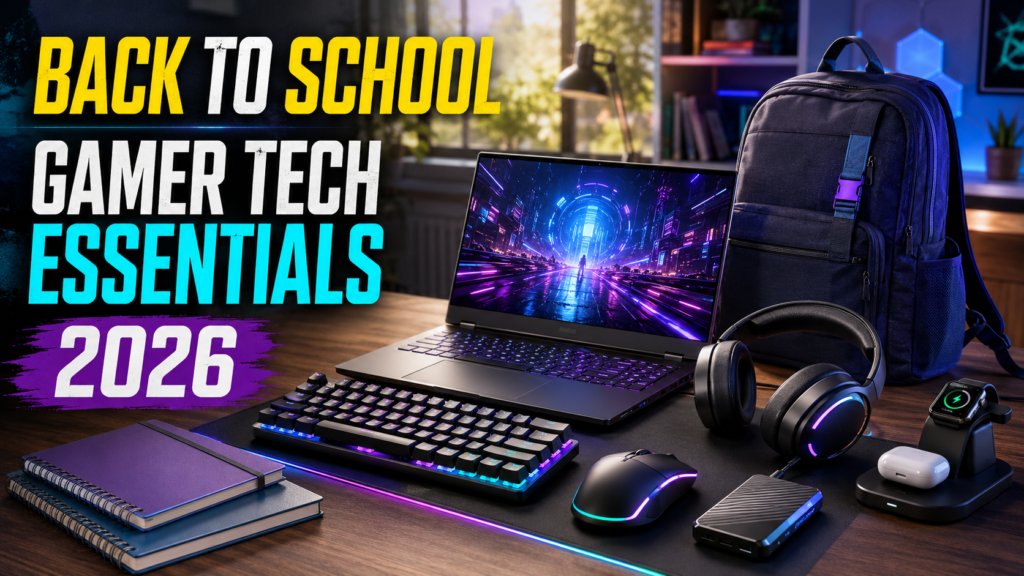
With classes starting in the next couple of weeks, this is the window to sort out your setup before the semester gets busy — not the week homework piles up. The good news: the gear that makes online classes and video calls look professional is largely the same gear that makes gaming better, so nothing here is a purchase you’ll only use half the time. Here are five picks that pull double duty between schoolwork and gaming.
⚡ Quick Answer
- Backing up coursework: Samsung T7 Portable SSD — fast enough for game installs, reliable enough for the thesis you can’t afford to lose
- Video calls and online classes: Logitech C920x — the reliable webcam standard that also streams well
- Dorm room desk space is tight: Royal Kludge RK61 — a 60% wireless keyboard that frees up real desk area
- Classes plus gaming audio: HyperX Cloud Stinger 2 Core — comfortable enough for back-to-back lectures and gaming sessions alike
- Upgrading from a tiny laptop screen: Amazon Basics 27″ 165Hz — a real second monitor for both note-taking and gaming
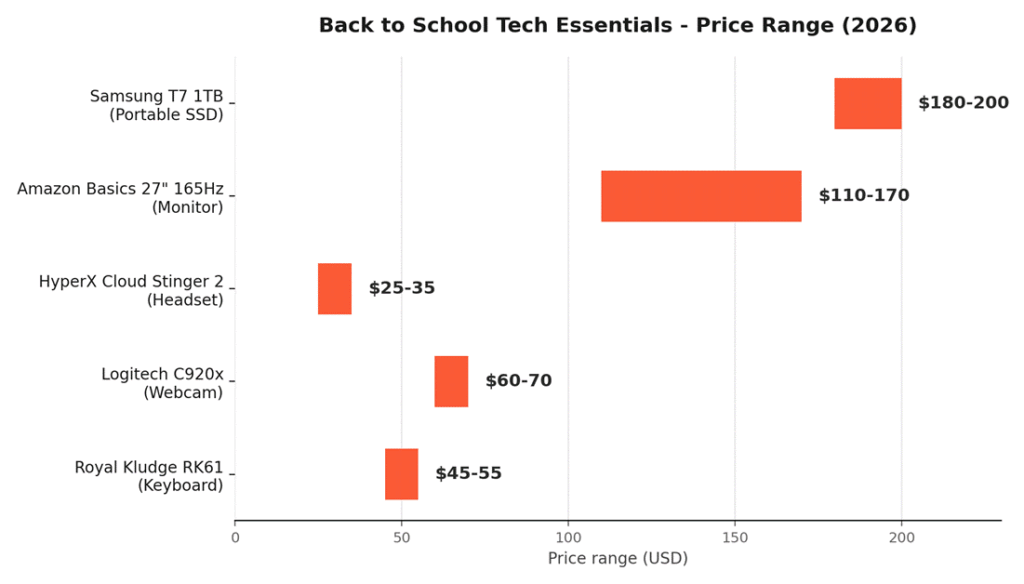
📊 Price Range at a Glance
📊 Quick Comparison Table
| Item | Dual-Use Case | Price |
| 🛒 Samsung T7 Portable SSD (1TB) | Coursework backup + game library on the go | ~$190 |
| 🛒 Logitech C920x | Video calls/classes + streaming | ~$60–70 |
| 🛒 Royal Kludge RK61 | Note-taking + compact gaming setup | ~$45–55 |
| 🛒 HyperX Cloud Stinger 2 Core | Lecture audio + gaming headset | ~$25–35 |
| 🛒 Amazon Basics 27″ 165Hz Monitor | Study reference screen + gaming display | ~$110–170 |
Prices fluctuate with Amazon deals — check the live listings for current pricing.
💾 1. Samsung T7 Portable SSD — Coursework Backup, Fast Enough for Gaming
Losing a semester’s worth of files to a laptop failure is exactly the kind of disaster that’s entirely preventable. The 🛒 Samsung T7 Portable SSD is fast enough to double as a portable game drive between your dorm and home setup, not just a backup you forget about.
Why it’s here:
- Up to 1,050 MB/s transfer speeds — a 4K movie or large project file copies in under a minute
- Pocket-sized aluminum body with shock resistance rated for drops up to 6 feet
- Works across PC, Mac, Android, and most gaming consoles without separate drivers
- Marketed and priced specifically with students in mind, alongside creators and professionals
Good for: Anyone who wants coursework backed up automatically and a portable drive fast enough to carry games between locations.
📷 2. Logitech C920x — The Reliable Webcam for Classes and Streaming
Between video calls, group project meetings, and the occasional stream, the 🛒 Logitech C920x has been the dependable standard for over a decade for good reason.
Why it’s here:
- Full 1080p/30fps video with reliable autofocus — looks sharp on Zoom, Teams, and Discord alike
- Dual stereo mics with automatic light correction handle typical dorm room lighting well
- Plug-and-play compatibility with virtually every video calling and streaming platform
Good for: Anyone relying on a laptop’s built-in camera for online classes who wants a genuine upgrade for both school and gaming.
⌨️ 3. Royal Kludge RK61 — Saves Real Desk Space
Dorm desks are small, and the 🛒 Royal Kludge RK61 reclaims meaningful space by dropping the numpad and navigation cluster most people don’t use daily anyway.
Why it’s here:
- 60% compact layout frees up desk space for notes, textbooks, or just more mouse room
- Tri-mode connectivity (Bluetooth, 2.4GHz, or wired USB-C) works across a laptop and a gaming PC without re-pairing
- Hot-swappable switches let you pick a quieter switch type if you’re typing in a shared dorm room
Good for: Students in tight dorm spaces who want one keyboard that works for note-taking and gaming alike.
🎧 4. HyperX Cloud Stinger 2 Core — Lectures and Gaming, One Headset
For long lecture recordings and long gaming sessions alike, the 🛒 HyperX Cloud Stinger 2 Core covers both without needing two separate headsets taking up space.
Why it’s here:
- Lightweight steel-reinforced frame comfortable enough for multi-hour wear between classes and games
- Swivel-to-mute mic makes muting during a lecture as fast as flipping it up
- 40mm drivers tuned for clarity, useful for both spoken lecture audio and in-game footsteps
Good for: Students who want one comfortable headset that works equally well for classes and gaming.
🖥️ 5. Amazon Basics 27″ 165Hz Monitor — More Screen for Notes and Games
A second monitor is one of the most underrated productivity upgrades for schoolwork, and the 🛒 Amazon Basics 27″ 165Hz monitor delivers one without stretching a student budget.
Why it’s here:
- 27″ of extra screen real estate for keeping lecture slides, notes, and a browser open side by side
- 165Hz refresh rate means it doubles as a genuine upgrade for gaming, not just a productivity display
- IPS panel gives decent color and viewing angles for both schoolwork and games
Good for: Anyone working off a single laptop screen who wants a real second display for both studying and gaming.
❓ Frequently Asked Questions
Should I prioritize a laptop upgrade over these accessories?
Depends on your current laptop’s actual limitations — if it genuinely can’t handle your coursework or games, that comes first. If your laptop works fine but your setup around it is limiting (screen size, webcam quality, desk space), these accessories often deliver more day-to-day improvement per dollar than a full laptop upgrade.
Is a portable SSD really necessary if I already use cloud storage?
Cloud storage and a local backup solve different problems — cloud sync can fail silently, sync incomplete files, or become inaccessible without internet. A portable SSD gives you an immediate, offline copy of critical work, which matters most in the exact moment something goes wrong with your primary storage.
Will a 60% keyboard actually be usable for typing papers, not just gaming?
Yes, with a short adjustment period — you’ll rely on function-layer shortcuts for arrow keys and navigation rather than dedicated keys, which takes about a week to become second nature. Most people who make the switch for space-saving reasons don’t go back to a full-size board afterward.
🔗 Related Reading
- Best Budget Monitors for PC Gaming in 2026 – Smooth, Sharp, and Affordable
- Best Budget Gaming Keyboards & Mice in 2026 Under $100
⚔️ Final Verdict
None of these are purchases you’ll only get half-use out of once the semester settles in — every item here works exactly as hard for a Tuesday lecture as it does for a Friday night gaming session. If you can only start with one, the portable SSD protects you from the single worst outcome (losing coursework), and the webcam delivers the most immediately visible improvement to how you show up on video calls.
As an Amazon Associate, PC Wizard Hub earns from qualifying purchases made through the links above.