

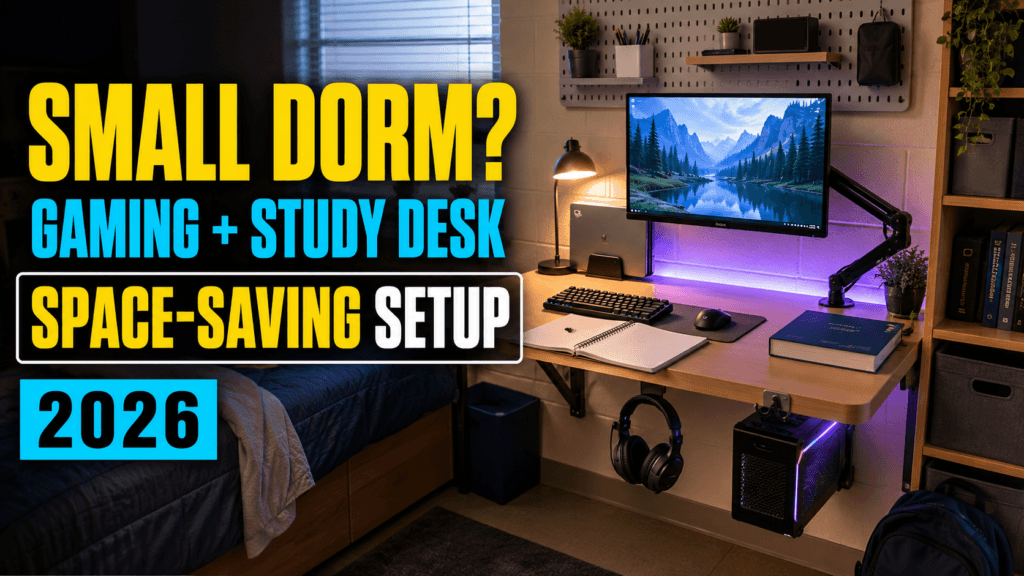
Dorm desks are small, dorm electrical policies are strict, and you’re setting up a gaming and study space in roughly the same square footage as a large pizza box. The good news: a handful of specific, inexpensive changes solve most of the actual problems — not by buying bigger furniture, but by using the desk space you already have more intelligently. Here’s the order that actually matters.
⚡ Quick Answer
- Do this first, before anything else: get a UL-listed surge protector. Most universities require one specifically, not just any power strip — a bare extension cord can actually violate housing policy.
- Biggest desk-space win: a monitor arm lifts your screen off the desk surface entirely, reclaiming the footprint a stand would otherwise take
- Most overlooked ergonomics fix: a laptop riser — raises your screen to eye level and improves airflow underneath, which matters more in a poorly-ventilated dorm room
- Free fixes that matter too: cable routing and desk organization cost nothing and make a small space feel dramatically less cluttered
🚨 Step 1: Get a Dorm-Compliant Surge Protector First
This is a genuine safety requirement, not just a nice-to-have. Most university housing policies require a UL-listed (Underwriters Laboratories) surge protector with a grounded plug and circuit breaker — a bare extension cord or an uncertified power strip can actually violate your housing contract, and more importantly, poses a real fire risk in a room full of chargers and electronics.
The 🛒 Belkin 12-Outlet Surge Protector is UL-listed with a 3,780-joule rating — comfortably covers a gaming PC, monitor, lamp, and chargers on one certified strip, with a safety indicator light that confirms it’s still providing protection.
- Check your specific housing policy before buying — some schools specify a minimum joule rating or ban certain power strip types entirely
- Look for the actual UL mark (a circled UL with a certification number) on the product, not just a claim of “surge protection” in the listing
🖥️ Step 2: Free Up Desk Space With a Monitor Arm
A monitor stand takes up real desk footprint even when it’s not doing much. A clamp-mounted arm attaches to the edge of the desk instead, lifting the screen entirely off the surface and freeing that space for books, a mousepad, or just breathing room.
The 🛒 Amazon Basics Gas Spring Single Monitor Arm fits monitors 15–27″ and mounts directly to the desk edge, with full tilt, swivel, and rotation — genuinely useful for switching between landscape gaming and portrait-mode reading a long document.
💻 Step 3: Elevate Your Laptop
If a laptop is your primary machine, propping it flat on the desk does two things wrong at once: it puts the screen well below eye level, and it blocks the bottom vents exactly when airflow matters most in a room without great ventilation.
The 🛒 Amazon Basics Ergonomic Laptop Stand raises your laptop to a better viewing height and opens up airflow underneath, and folds flat for the inevitable moments you need the desk space back entirely.
🧵 Step 4: Contain the Cables
Between a gaming PC or console, a monitor, chargers, and a desk lamp, cable clutter multiplies fast in a small room — and it’s one of the easiest things to fix for almost no money.
A 🛒 cable management box hides your surge protector and the tangle of cables plugged into it inside one enclosed box, instantly cleaning up the most chaotic-looking part of most desk setups.
✅ Step 5 (Free): Basic Cable Routing
- Route cables along the back edge of the desk rather than letting them hang across the middle where you’ll catch them with your knees or a chair
- Bundle parallel cables together with a twist tie or velcro strap — several thin cables routed as one bundle look far tidier than the same cables loose
- Label chargers if you’re in a shared room — a small piece of tape with initials avoids the inevitable “whose charger is this” confusion
💰 The Shopping List
| Item | Why It’s Here | Price |
| 🛒 Belkin 12-Outlet Surge Protector | UL-listed, likely required by your housing policy | ~$40–50 |
| 🛒 Amazon Basics Monitor Arm | Reclaims desk space by lifting the screen off the surface | ~$40–50 |
| 🛒 Amazon Basics Laptop Stand | Eye-level height and better airflow underneath | ~$20–25 |
| 🛒 Cable Management Box | Hides the power strip and cable tangle in one place | ~$20–25 |
Prices fluctuate with Amazon deals — check the live listings for current pricing.
❓ Frequently Asked Questions
Do dorms really enforce surge protector requirements, or is this overcautious?
Many do, and it’s tied to genuine fire safety concerns — residence halls have real fire risk from overloaded, uncertified power strips packed with chargers and electronics. Check your specific school’s housing policy; it’s usually published alongside move-in guidelines, and violating it during a room inspection can mean a confiscated power strip with no warning.
Will a monitor arm actually fit a standard dorm desk?
Most clamp-mount arms fit desks between roughly 0.4 and 2.4 inches thick, which covers the vast majority of dorm-issued desks. Measure your desk edge thickness before buying if you’re unsure, since some older or unusually thick dorm furniture can fall outside that range.
Is it worth bringing a gaming PC to a dorm, or should I stick with a laptop?
Depends on your room’s space and your school’s specific policies on desktop towers, but a compact case paired with these desk-space-saving accessories makes a small-form-factor PC far more livable in a dorm than people assume. Check your housing policy for any restrictions before committing to bringing one.
🔗 Related Reading
⚔️ Final Verdict
Start with the surge protector — it’s the one item on this list that’s about compliance and safety, not just convenience. After that, the monitor arm delivers the single biggest change in how usable your desk feels, since it’s the item taking up the most footprint to begin with. The laptop stand and cable box are smaller wins, but they add up to a setup that feels considerably less cramped than the one you moved in with.
As an Amazon Associate, PC Wizard Hub earns from qualifying purchases made through the links above.