💬 Introduction
Wondering how to choose PC parts in 2026 for your first custom build? You’re not alone. Whether you’re after budget gaming or a future-ready rig, we’ll walk you through what matters most.
Whether you’re building a gaming rig, a work machine, or a future-proof everyday PC, we’ve got you covered.
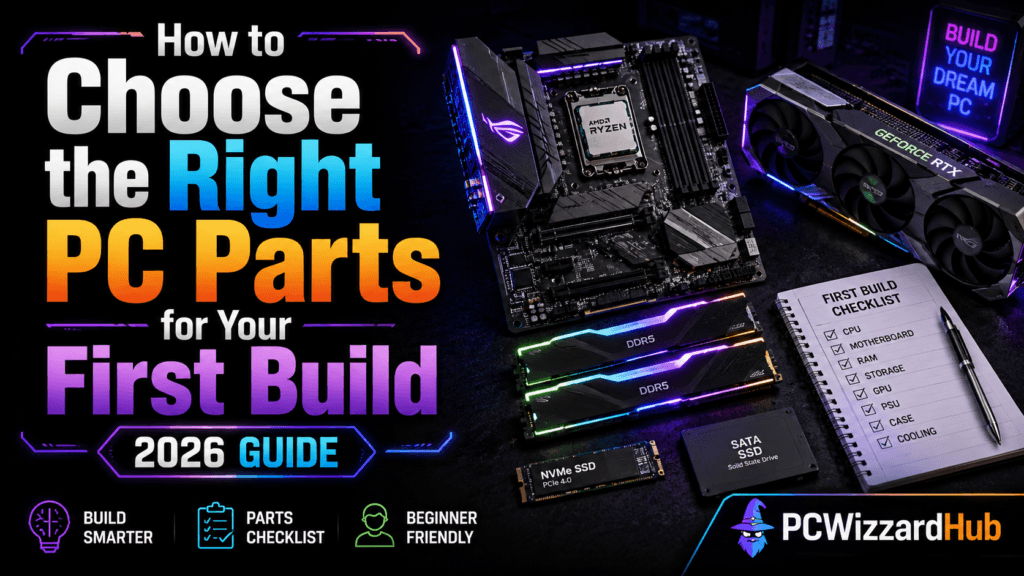
🧱 The 7 Essential Parts You’ll Need
1. CPU (Processor)
The “brain” of your PC. It handles all calculations and performance.
Tips:
- For gaming: Go for AMD Ryzen 5 or Intel Core i5
- For basic use: Ryzen 3 or Intel i3 will do
🔍 Look for: Clock speed (GHz), core count (4+), integrated graphics if no GPU
👉 See our Best Gaming CPUs of 2026 – Top Picks by Budget for specific recommendations.
2. Motherboard (MoBo)
It’s where all your parts connect.
Tips:
- Match the socket to your CPU (e.g., AM4 for Ryzen)
- Look for 2+ RAM slots and an M.2 SSD slot
🔧 Budget tip: A basic B450 or B550 board is great for first-timers
👉 See our Best AM4 Budget Motherboards in 2026 for specific picks.
3. RAM (Memory)
Think of RAM as your multitasking muscle.
Tips:
- 16GB DDR4 (2x8GB) is the sweet spot
- Look for 3200MHz or faster
🧠 More RAM = smoother gaming and multitasking
👉 See our Best DDR4 RAM for Gaming & Budget Builds for specific kits.
4. Storage (SSD/HDD)
Where your games and files live.
Tips:
- Get a 500GB or 1TB SSD (faster load times)
- Add a cheap 1TB HDD later for extra storage
🚀 NVMe SSDs are faster than SATA – and only a bit pricier
👉 See our Best Budget SSDs for Gaming for specific picks.
5. GPU (Graphics Card)
Essential for gaming. Not needed for casual browsing.
Tips:
- On a budget? Go with used GTX 1650 or RX 580
- Newer options: RTX 3050 or RX 6600
🎮 If you don’t game: Use a CPU with integrated graphics and skip the GPU
👉 See our Best Budget GPUs in 2026 for specific recommendations.
6. Power Supply (PSU)
Feeds your PC power. Don’t cheap out here.
Tips:
- Get a reputable brand: Corsair, Seasonic, EVGA
- 500W–650W is enough for most builds
- Look for 80+ Bronze certification or better
⚠️ Bad PSUs can kill your PC — spend smart here
👉 See our Best Reliable Budget PSUs for Gaming PCs for specific picks.
7. Case
Keeps your parts cool and stylish.
Tips:
- Make sure it fits your motherboard (ATX, Micro ATX)
- Choose one with front USB, good airflow, and cable space
🆒 RGB? Totally optional, but always cool 😎
👉 See our Top 5 Mini-ITX Cases for Compact PC Builds if you’re going small form factor.
📌 Optional but Useful
- CPU Cooler – Stock is fine, but upgrade for lower temps
- Wi-Fi Card – Needed if your board doesn’t have built-in Wi-Fi
- Operating System – Windows 11, or Linux if you’re adventurous
💡 Quick FAQ
Q: How much should I budget?
- 🟢 Entry build: $400–600
- 🟢 Mid-range gaming: $700–1000
- 🟢 High-end: $1200+
Q: Can I upgrade later?
Absolutely — start small, upgrade parts over time. It’s part of the fun!
🔚 Final Thoughts
Choosing your first PC parts doesn’t have to be confusing.
Stick to compatible, quality components, and use this guide as your checklist.
You’ll end up with a setup that works beautifully — and you’ll learn a ton doing it.
💬 Got questions about parts or planning your first build? Drop a comment or browse our PC Builds & Upgrades section!
As an Amazon Associate, PC Wizard Hub earns from qualifying purchases made through the links above.